Sources, OCR, search, Threads, Events, and reminder logic.
Available now for iPhone · Free to start
Save it now. Plan it later.
Capture something before you know what you’ll need it for. Keep the original information, add context as life changes, and find it again when it matters.
Keep up to 50 Sources free. Full Cobble is a one-time $69.99 purchase. No subscription.
- No account
- On-device processing
- Export anytime
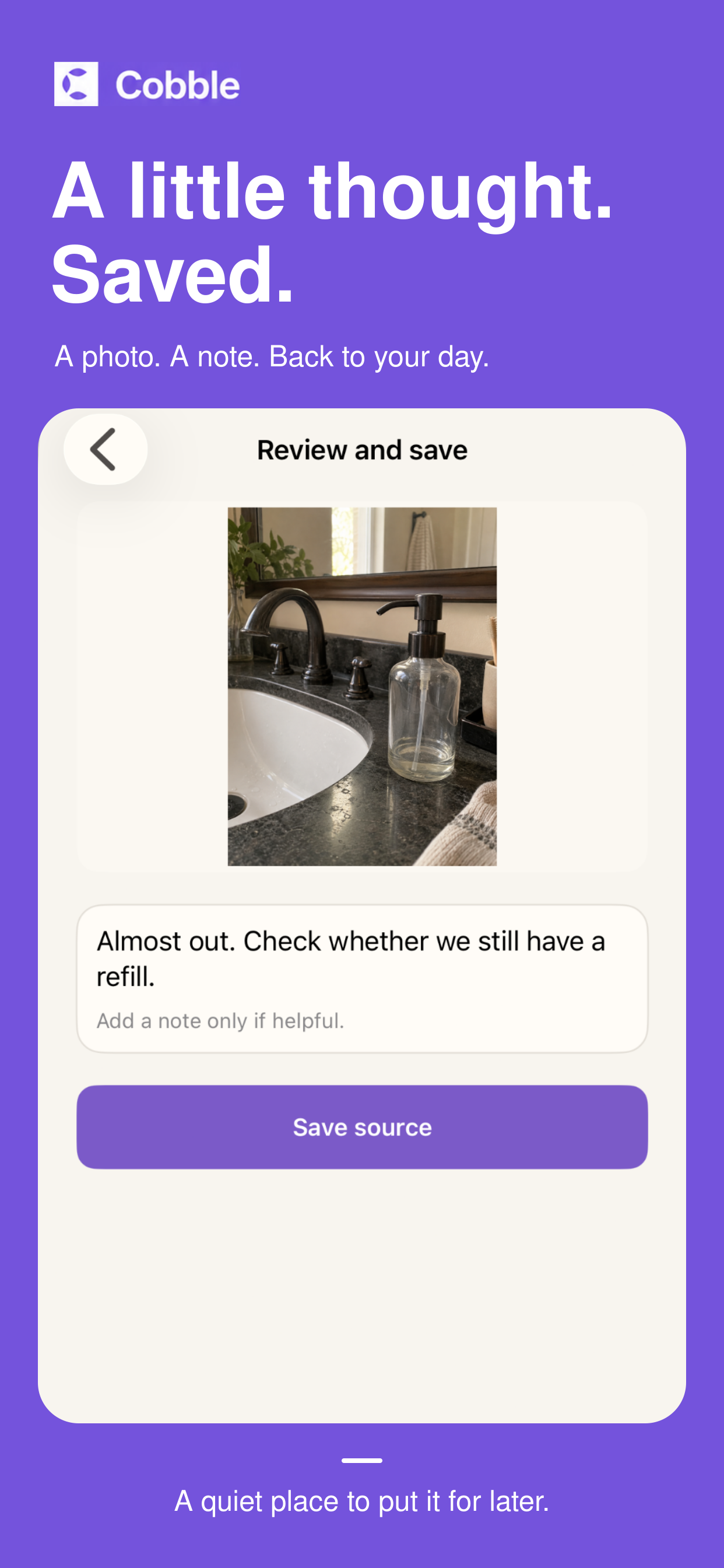
A quiet place to put it for later
The detail stays. The organizing can wait.
Cobble keeps the small pieces of everyday information that matter—without asking you to sort, label, or turn them into a project first.
How Cobble works
Save. Add context. Find it again.
Start with the original detail. Cobble helps it stay useful as your understanding grows—and leaves it alone when nothing else is needed.
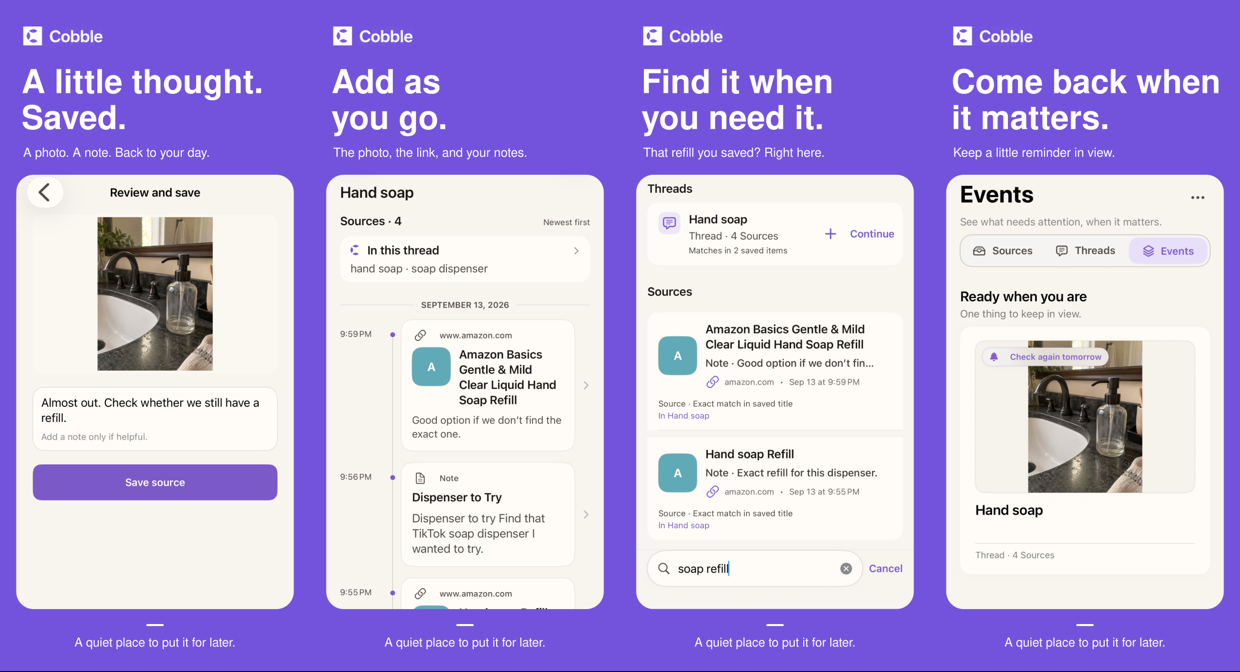
Start with the photo, link, screenshot, text, or note you already have.
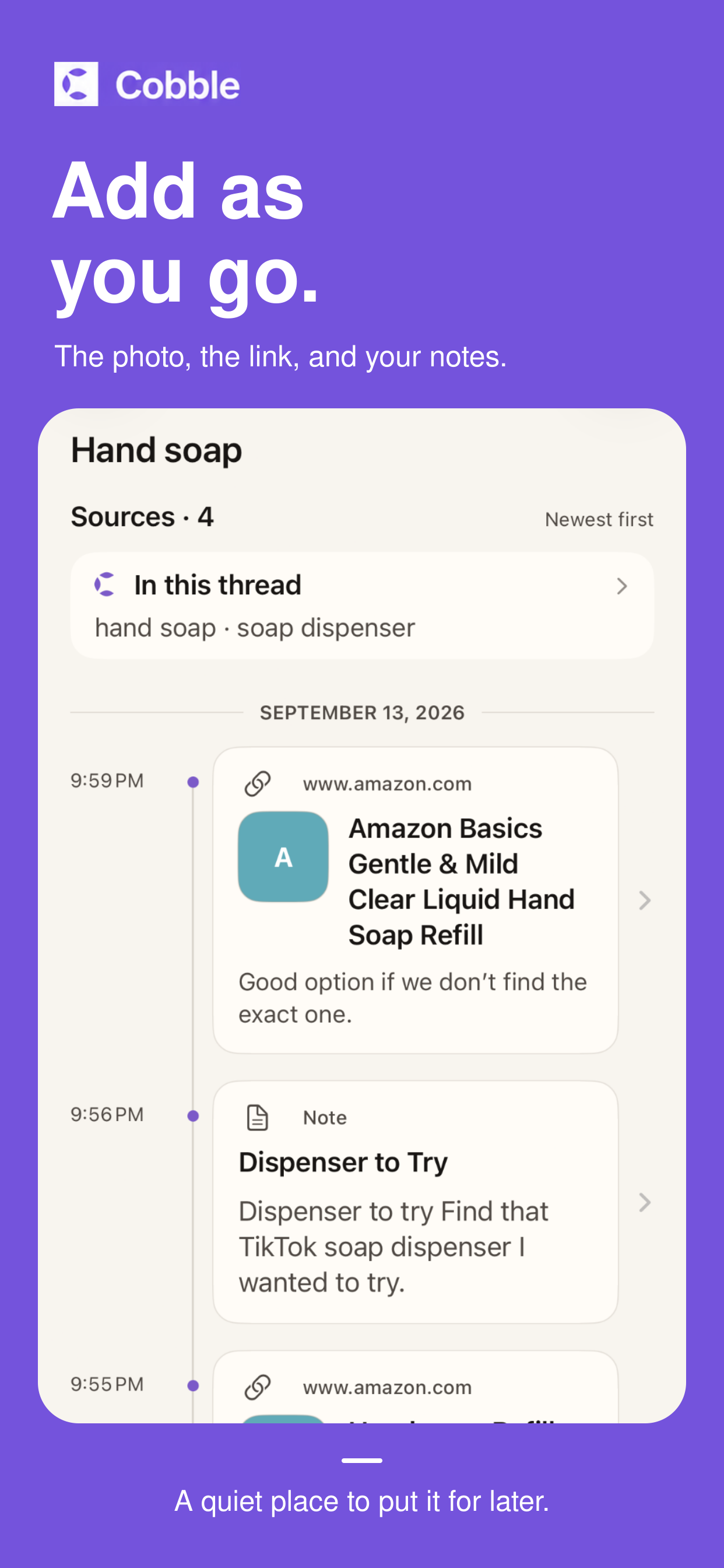
Keep related details together only when the connection becomes useful.
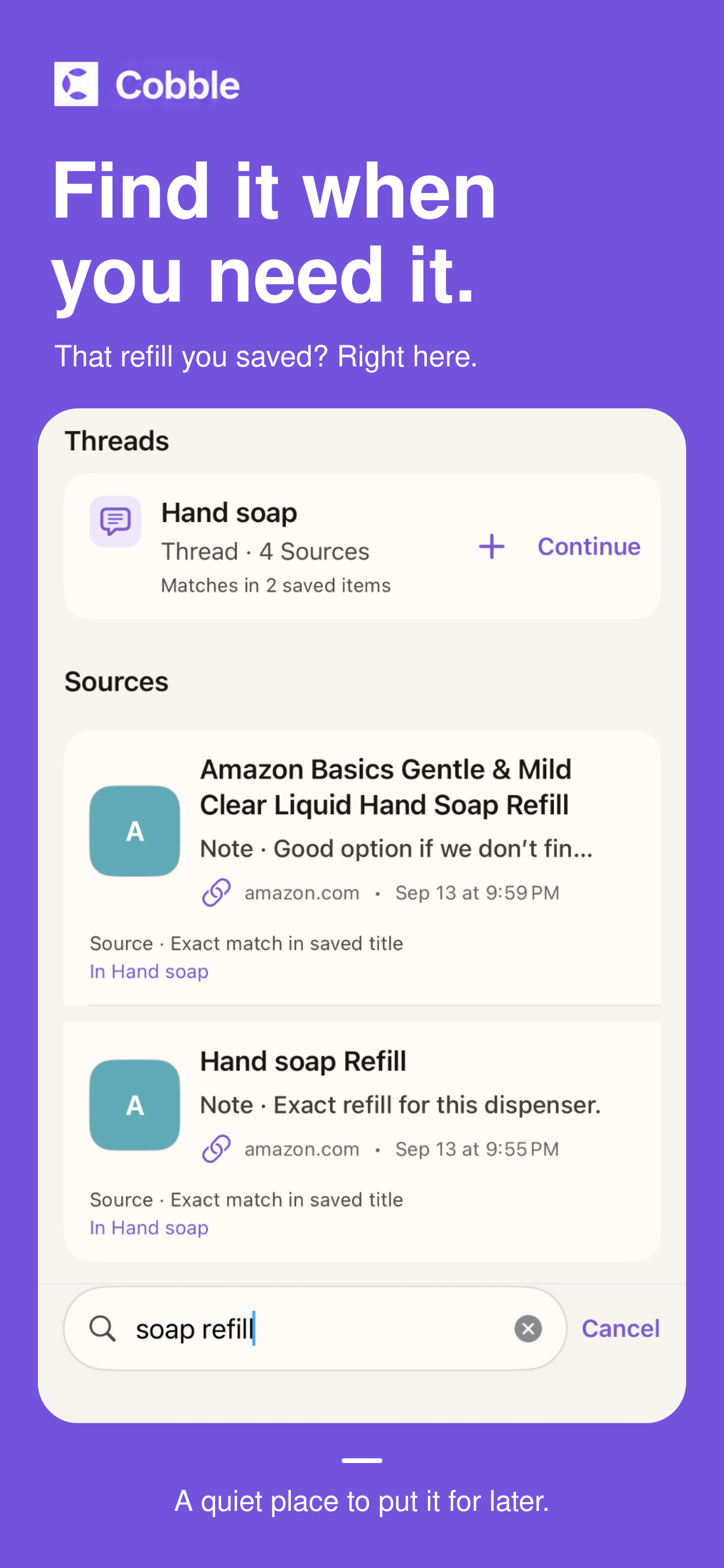
Search returns you to the original information and the context around it.
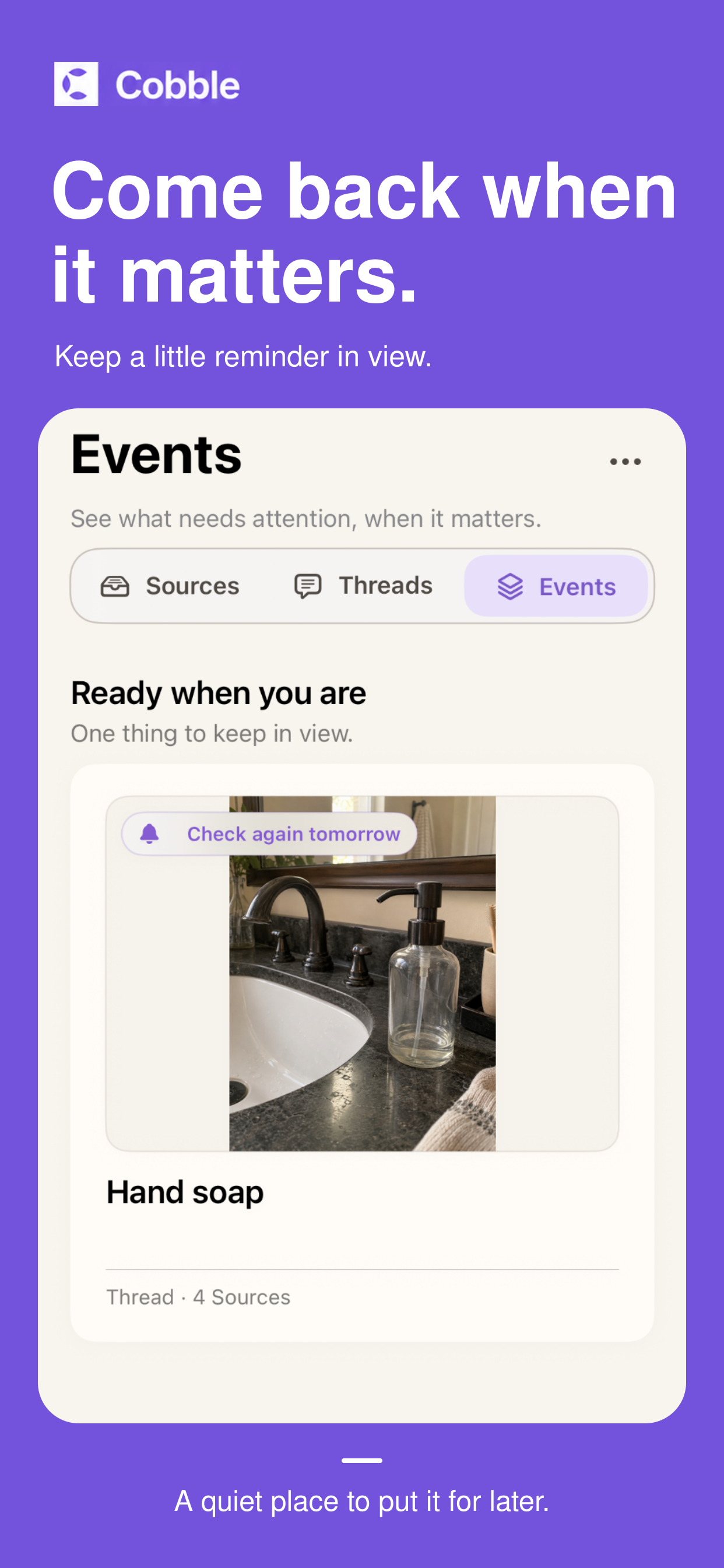
Set a reminder when you want something brought back to your attention.
Keep the original
What you saved stays useful.
Cobble keeps a durable copy of the thought, photo, screenshot, text, or link you chose to save. Search brings you back to that evidence—not a replacement for it.
- Save firstNo folder, project, or perfect label required.
- Connect laterBring related Sources into a Thread when the pattern is clear.
- Act when readyAdd a reminder or return to an Event without losing its source.
You stay in control
Not every save needs to become a plan.
A Source can be complete on its own. Threads are yours to establish, reminders happen only when you set them, and your edits and removals remain authoritative.
Cobble can help interpret. You decide what happens next.
Local-first by design
Your saved content stays on your device.
Cobble does not require an account or provide an Anyora Home cloud content service. Core content processing, including image text recognition and search, runs on your iPhone.
Read the Cobble Privacy PolicyOptional feature-use signals that can be turned off in Settings.
You choose where a recovery export is saved and protected.
Questions, answered
The details that matter before you download.
What can I save in Cobble?
Quick thoughts, photos, screenshots, pasted text, web links, and supported content shared from other apps. You can add a short note without changing the original material you saved.
Where is my information stored?
Your Sources, notes, images, Threads, Events, reminders, and other Cobble records are stored locally in the app’s storage on your iPhone.
Is my saved content sent to AI or a server?
Cobble’s core content processing, including image text recognition, search, and relationship evaluation, happens on your device. Cobble does not upload saved Source content to an Anyora Home server or remote language-model service. Saving a link can contact that website to retrieve a preview.
Does every save become something else?
No. A Source can be complete on its own. Saving does not automatically create a user-owned Thread, reminder, task, or calendar event. Events appear only when saved information provides sufficiently grounded upcoming details, and reminders require an explicit action.
What does the purchase include?
You can save up to 50 active Sources for free. Full Cobble removes that limit with a $69.99 one-time lifetime purchase. There is no subscription.

Available now · Free to start
Start small. Keep as much as you need.
Try the complete Cobble experience before you unlock more.
Unlimited Sources with a lifetime unlock. No subscription.
Free download · Requires iOS 17.0 or later