04 / Today’s 20
A little focus.
A lot more clarity.
A manageable daily moment for files worth another look. Up to 20 files or verified duplicate groups, with no obligation to finish.
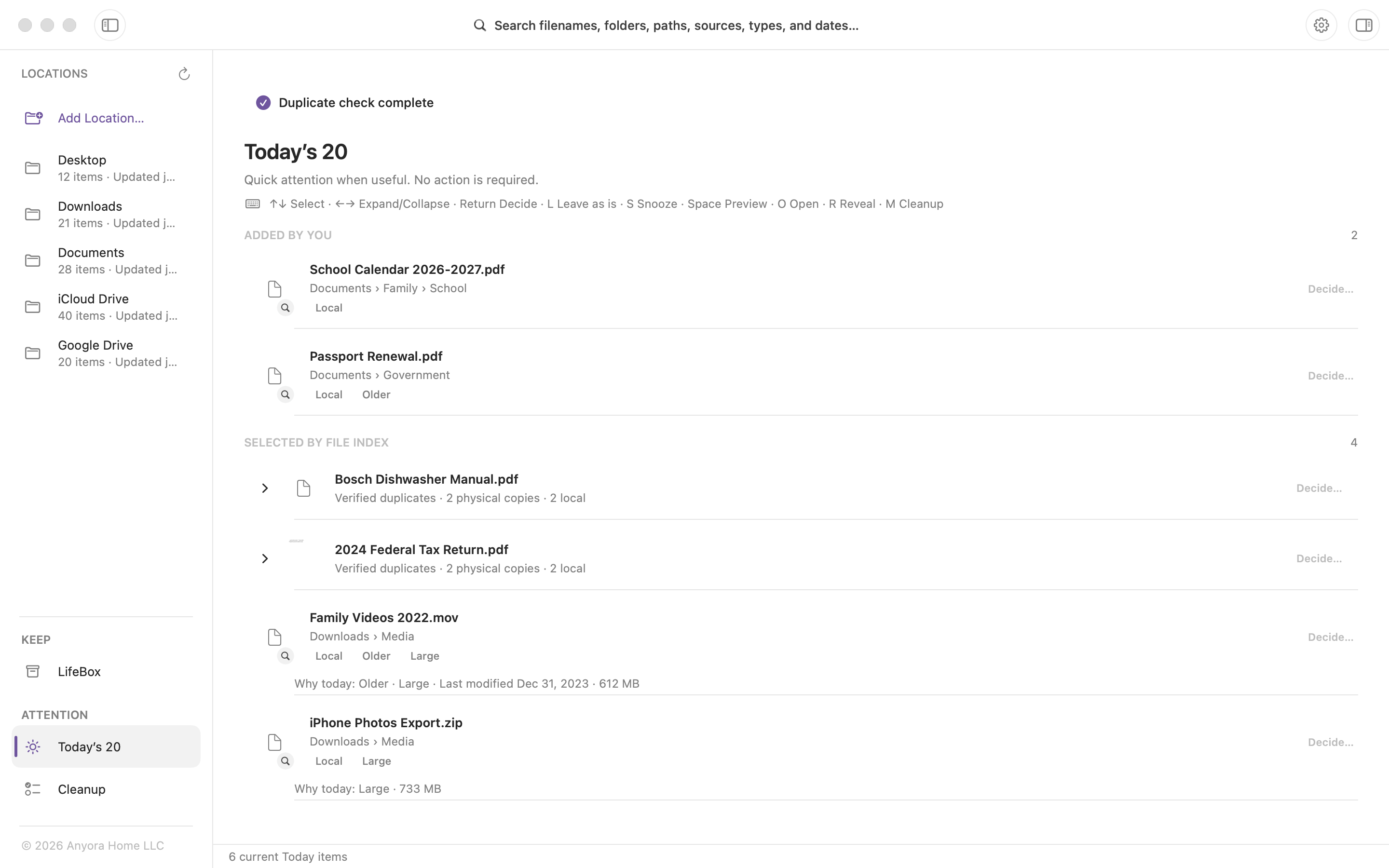
Review a little. Move on with your day.
 File Index
FILE INDEX FOR MAC
Search the folders and cloud-drive locations you choose. See the context. Recognize the right copy. Get on with your day.
Requires macOS 14.0 or later.
Free includes two permanent Location choices. Lifetime Unlock adds unlimited supported Locations with a one-time in-app purchase. No subscription.
Your index stays on your Mac.
Your files stay where they are.
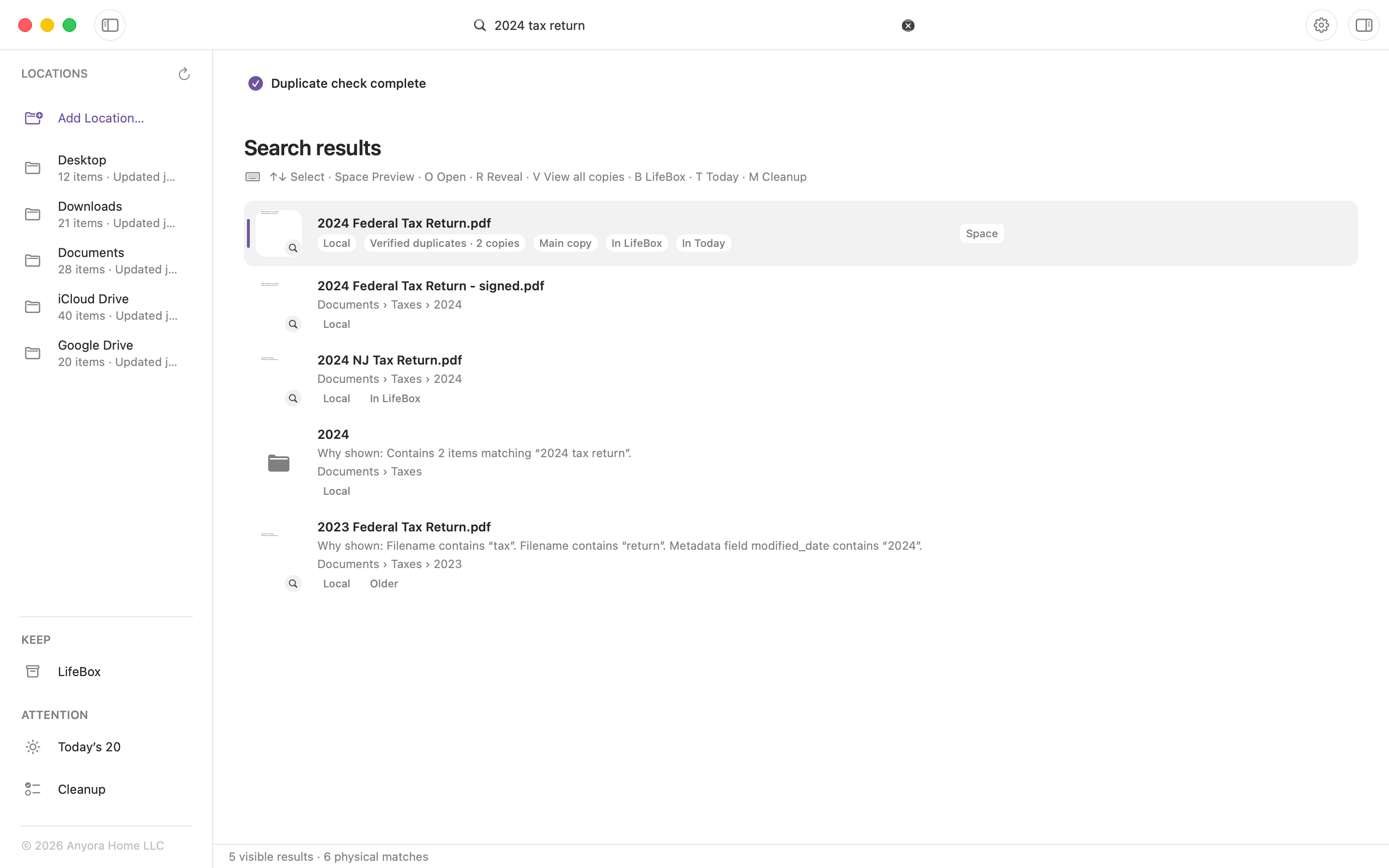
One search. Across the locations you choose.View full screenshot
Your files, in focus
The tax return. The school calendar. The document with three copies.
A little context makes it easier to find what you need—and know what comes next.
01 / File Context
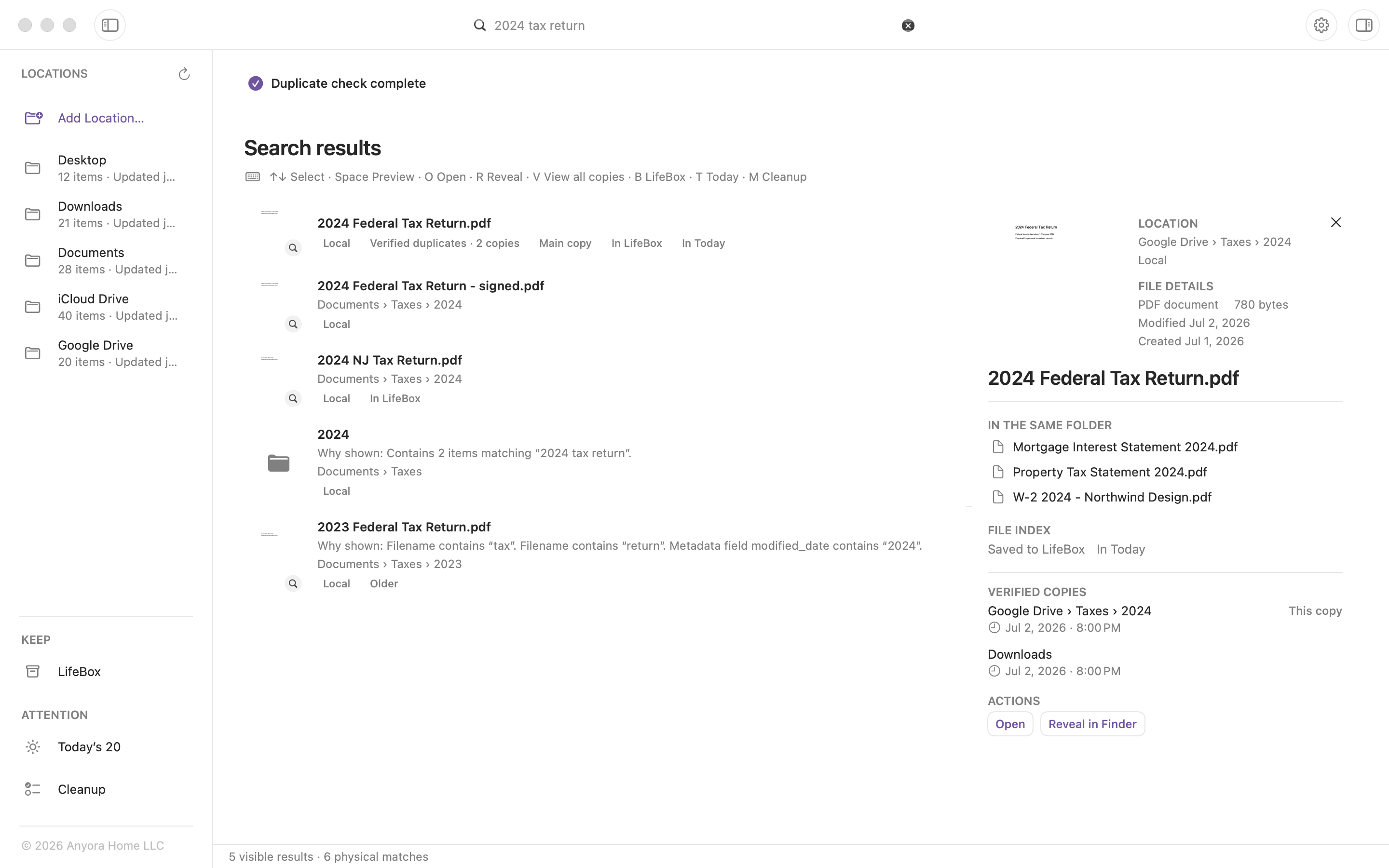
See file details, locations, nearby files, and verified copies.
Recognize the document before opening it. See where it lives and what’s beside it, with useful context in one view.
02 / Verified duplicates
Compare exact copies. Choose the one shown first.
Matching names are only a clue. File Index verifies exact copies locally, then shows you where each one lives. Choosing a main copy changes which appears first.
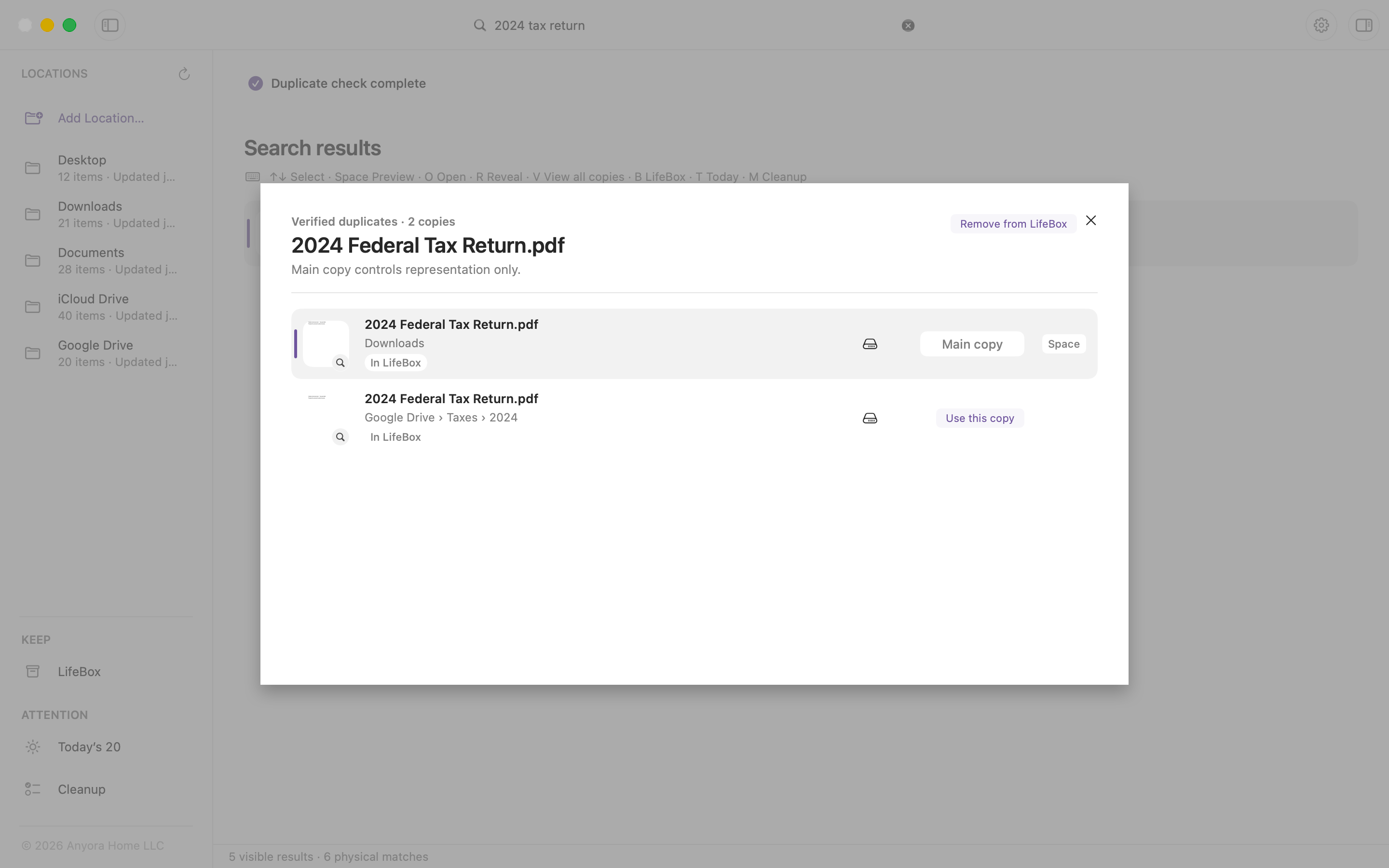
A closer look at the verified-copy view. Select the image to see the full app.
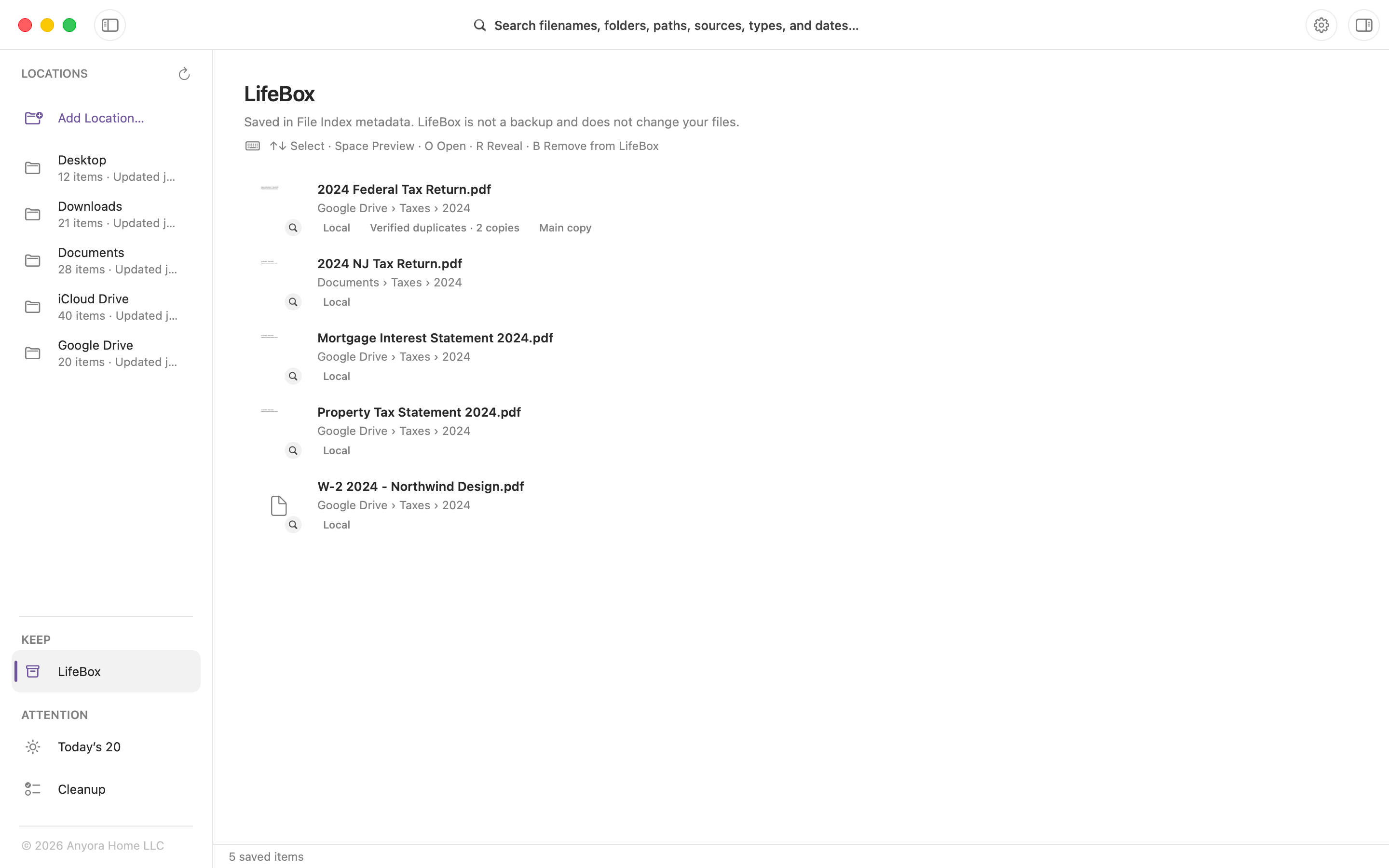
03 / LifeBox
Keep important files within reach in LifeBox. Originals stay where they are.
The paperwork. The milestones. The things that matter. Bring them into one view, even when they live in different folders.
04 / Today’s 20
A manageable daily moment for files worth another look. Up to 20 files or verified duplicate groups, with no obligation to finish.
Review a little. Move on with your day.
05 / Cleanup
Mark files for Cleanup and review when you’re ready. Marking doesn’t move or delete your files.
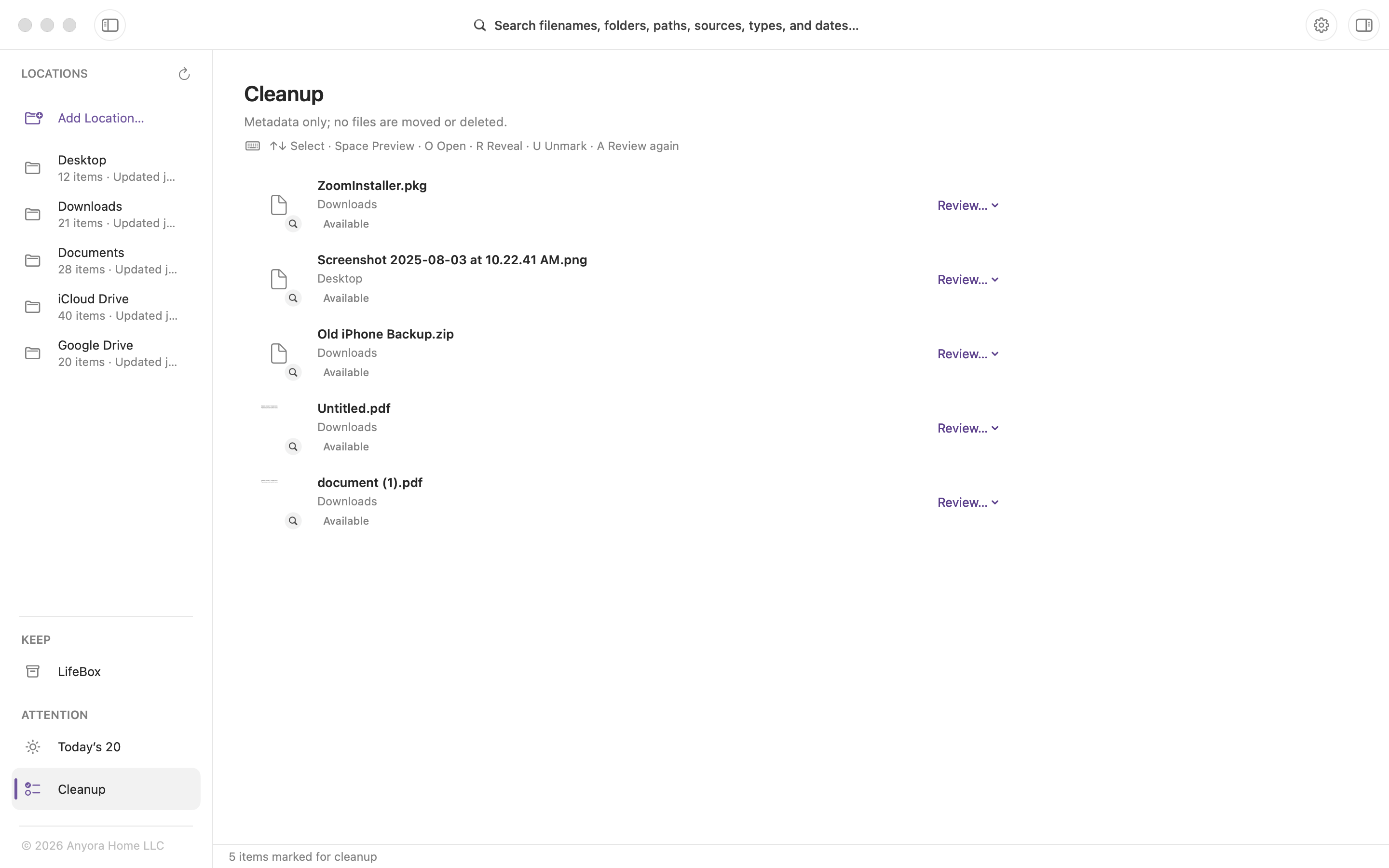
Your files. Your pace.
Make yourself at home
Add the folders and supported cloud-drive locations you want to search.
It builds a local index on your Mac. Your files stay where they are.
Search, inspect the context, and open or reveal the file. Review more whenever it’s useful.
Private by design
File Index does not send your file contents, filenames, or search queries to Anyora Home. Indexing and exact-copy verification happen locally.
Read our privacy promiseA few useful details
The free version includes two permanent Location choices. Removing a chosen Location does not let you substitute a different folder. Lifetime Unlock lets you add unlimited supported Locations with a one-time in-app purchase—no subscription. See the Mac App Store for current pricing.
Search filenames, folders, paths, sources, file types, and dates across the locations you choose. Search uses file metadata; it does not search the text inside your documents.
Choose supported cloud-drive locations accessible on your Mac. File Index can index their available metadata without intentionally downloading online-only files just to search them. Preview and exact-copy verification depend on eligible file data being available locally.
Searching, choosing the copy shown first, saving to LifeBox, and marking files for Cleanup leave your originals where they are. These actions update File Index’s own information about your files.
LifeBox keeps references to important files so you can find them again. It does not create a backup or protect the original file from being changed or deleted elsewhere.
Review is optional. Today’s 20 is a daily selection of up to 20 files or verified duplicate groups. Look at a few, come back later, or simply use Search.
File Index for Mac
Find what you need. Keep what matters. Review at your own pace.
Requires macOS 14.0 or later.
Free includes two permanent Location choices. Lifetime Unlock adds unlimited supported Locations with a one-time in-app purchase. No subscription.